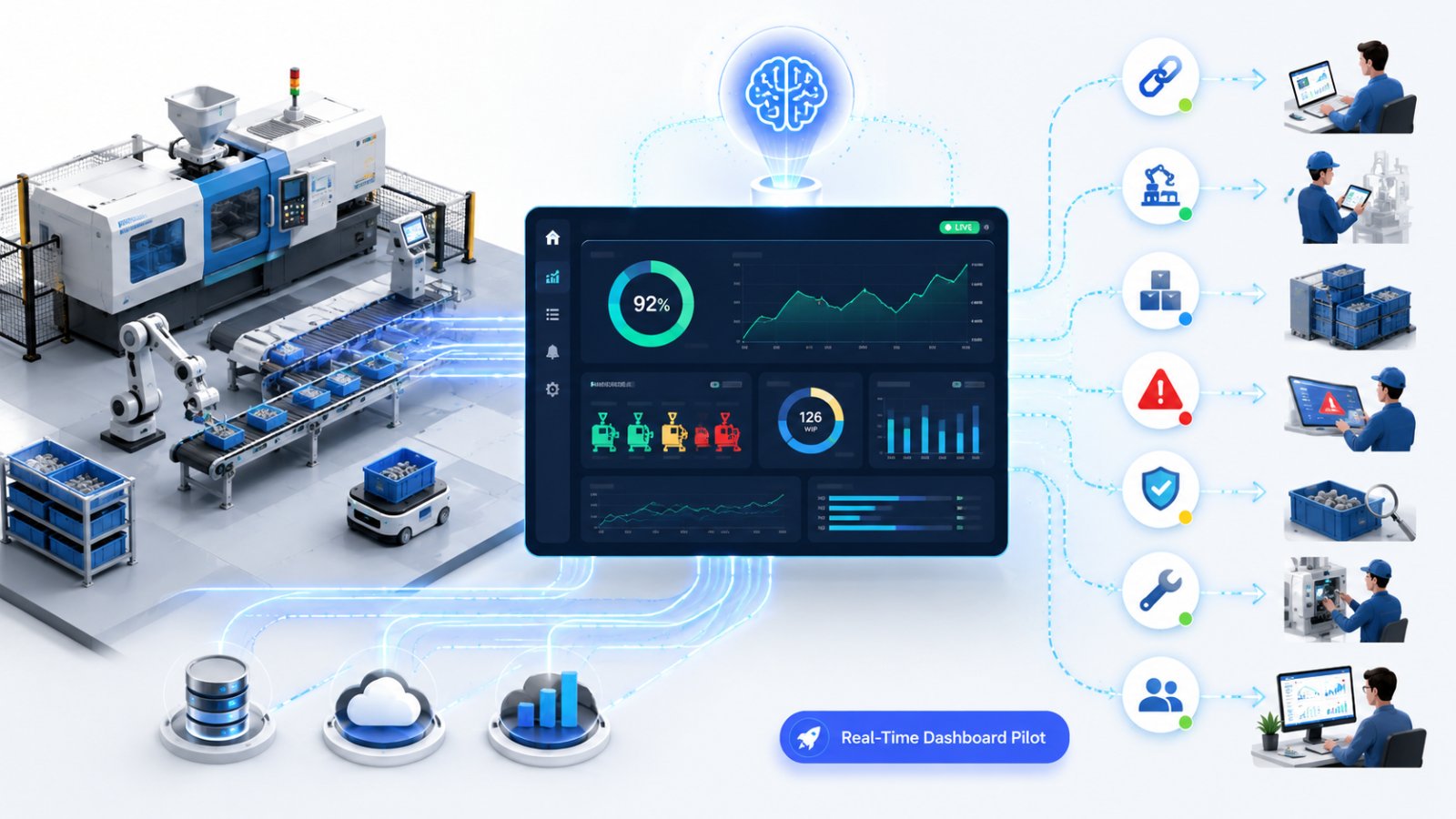
Most manufacturing teams already have plenty of data, but it arrives late, in different places, and in formats that are hard to trust. By the time a planner sees a problem in yesterday’s report, the shift is over and the schedule has already moved.
Real-time data does not mean “perfect data” or “data everywhere.” For SMEs, it means a small set of signals that update frequently enough to support daily decisions, and a clear process for who acts on what.
This post breaks down which real-time signals matter, where they typically come from, including ERP, MES, machines, quality, and maintenance, and how to turn them into practical decisions without overwhelming supervisors and operators.
Why Real-Time Data Matters on the Shop Floor
When information is delayed, teams compensate with buffers, extra WIP, expediting, and guesswork. The cost is not just downtime. It is missed delivery dates, unstable schedules, and firefighting that burns up management time.
Real-time visibility helps when:
- A constraint resource is drifting, such as cycle time increasing or micro-stops rising.
- WIP is building in front of one work center while another starves.
- A quality issue starts small and then spreads across multiple lots.
- Maintenance is reacting after a stoppage instead of before.
- Production planning is making changes without seeing current progress.
The practical goal is simple: shorten the time between “something changed” and “someone responds correctly.”
What Counts as Real-Time, and What Usually Does Not
“Real-time” should match your decision cycle.
For most SMEs:
- Seconds to minutes: machine status, counts, alarms, and short stops. This is useful for supervisors and maintenance.
- 15 to 60 minutes: line rate, WIP position, and job progress. This is useful for production control and shift leadership.
- Daily: schedule adherence, scrap trends, and top downtime reasons. This is useful for daily tier meetings.
What often does not help early on:
- Streaming every sensor value without a decision attached.
- Dashboards that look impressive but do not tie to actions.
- Reports that update frequently but rely on manual entry that happens hours later.
A Practical Decision Framework: Signal, Owner, Action, Timing
Before connecting more systems, define how the data will be used. A simple framework keeps projects grounded.
For each key metric, document:
- Signal: what is measured, for example, “Press #3 short stops per hour.”
- Source: where it comes from, such as an MES event log, machine PLC, operator entry, or ERP work order status.
- Owner: who is responsible to respond, such as a shift supervisor, maintenance lead, or planner.
- Trigger: what change requires action, such as a threshold, trend, or deviation from standard.
- Action: what the owner should do, such as verify, adjust, call support, change priority, or create a work order.
- Timing: how fast the action must happen, such as within 10 minutes, within the shift, or by end of day.
Quick Checklist: Start With These 8 Signals
If you want a practical starting point, choose a small set that covers flow, quality, and reliability:
- Order status by operation: released, in-process, complete.
- Actual vs planned output: by hour or by shift.
- Constraint resource utilization: run, idle, changeover, down.
- Top downtime reason codes: even if rough at first.
- WIP queue length: before key work centers.
- First-pass yield or scrap rate: by operation.
- Rework holds and MRB queue: count and aging.
- Maintenance response and mean time to restore: for critical assets.
Pick fewer metrics and make them dependable. A small trusted dashboard beats a large ignored one.
Where Real-Time Data Typically Comes From in SMEs
You can get value without a full smart factory rebuild. Common sources include:
- ERP: work orders, routings, due dates, inventory, and labor reporting. This is often not real-time unless reporting is timely.
- MES or production tracking: job start and stop, counts, downtime events, and reason codes.
- Machines and PLCs: run status, cycle completion pulses, and alarms.
- Quality systems: inspection results, SPC flags, and nonconformance records.
- Maintenance systems, or CMMS: open work orders, PM compliance, and breakdown history.
The practical integration target is usually: ERP for plan and orders, MES or machine signals for actual progress, and quality and maintenance for constraints and risk.
Practical Use Cases for SMEs That Do Not Require a Big IT Project
Real-time data pays off when it reduces decision time and avoids avoidable loss.
Common, Realistic Use Cases
- Shift control: supervisors see live progress vs plan and can rebalance labor before the last hour.
- Constraint protection: planners and supervisors see when the bottleneck is starving or blocked and can act.
- Changeover management: track actual changeover time and trigger help if it exceeds a standard.
- Quality containment: alert when scrap spikes on a specific machine, lot, or tool, then quarantine affected WIP.
- Maintenance triage: prioritize calls based on line impact and current order urgency.
- Schedule stability: reduce schedule thrash by changing priorities only when a real signal requires it.
Practical Example: Real-Time Data for a Small Job Shop Scheduling Problem
Consider a 35-person metal fabrication shop running laser cutting, press brake, and welding. The owner and planner are constantly expediting because “we did not know we were behind until the end of the day.”
Current Situation
- ERP has work orders and due dates.
- Operators report completions at the end of the shift.
- The press brake is the constraint, but its downtime is not visible until it becomes a crisis.
A Practical Real-Time Setup
- Capture press brake run, idle, and down status using a simple machine signal or MES terminal.
- Track job start and finish scans at each operation using barcode or touchscreen input.
- Show WIP queue count in front of the press brake and welding.
Daily Decisions Improved
- If the press brake goes down for more than 10 minutes, maintenance is paged immediately, and the supervisor starts a predefined workaround, such as swapping to an alternate brake, pulling a different job, or reassigning labor to welding.
- If WIP ahead of welding drops below a minimum, the supervisor pulls the next feasible jobs through the brake first instead of starting a long changeover for a low-priority order.
- The planner changes the schedule only when a real constraint signal changes, such as brake downtime, missing material, or a quality hold, not because someone “feels behind.”
What Makes It Work
- Only a few signals are tracked.
- Each signal has an owner and a clear action.
- The data is good enough to run a short tier meeting at the start of each shift.
Guardrails to Keep Humans in Control, Especially When AI Is Involved
Real-time systems often lead to automation, alerts, and sometimes AI suggestions. That can help, but only with clear guardrails.
Use these controls:
- One owner per alert: if everyone gets notified, no one acts.
- Escalation rules: define what happens if there is no response in 10 or 20 minutes.
- Explainability: if an AI or rule suggests a schedule change, it must show the reason, such as constraint down, material not received, or quality hold.
- No automatic schedule publishing at first: keep recommendations as suggested until proven stable.
- Data quality gates: if scan compliance drops or reason codes are missing, flag the dashboard as low confidence.
- Safety boundaries: do not let automated logic override lockout-tagout, interlocks, or safety procedures.
- Change control: log who changed thresholds, mappings, or dispatch rules and when.
A good rule for SMEs: automate the detection and notification first. Keep the decision with a supervisor or planner until the process is stable.
Implementation Steps: A Low-Risk 30-Day Approach
You do not need to do everything at once. Aim for a tight pilot that earns trust.
Step 1: Choose One Line or Constraint Resource
Pick the area that drives delivery performance or creates the most expediting. Define success in plain terms, for example: “know within 15 minutes when the constraint is down and why.”
Step 2: Define the Decision Framework for 5 to 8 Signals
Use the Signal, Owner, Action, Timing method. If you cannot define the action, do not collect the signal yet.
Step 3: Connect the Simplest Reliable Data Sources
- Machine status, if available.
- Barcode scans for job movement.
- ERP order list and due dates.
Avoid complex integrations until the pilot proves value.
Step 4: Run a Daily Operating Rhythm
Use the same screen in:
- Start-of-shift meeting, for plan, risks, and constraints.
- Mid-shift check, for progress, downtime, and WIP position.
- End-of-shift handover, for what changed and what is blocked.
Step 5: Tighten Data Quality and Thresholds
After two to three weeks, review:
- Which alerts were useful.
- Which alerts were noise.
- Where manual reporting is still delaying the truth.
Then adjust triggers and reason codes.
A Practical First Step and a Simple Question to Ask
If you are unsure where to start, ask this:
What decision do we currently make too late?
Examples:
- “We learn about a breakdown after we already missed the shipment.”
- “We only see the bottleneck falling behind at the end of the shift.”
- “Quality issues are discovered after multiple batches are processed.”
Pick one, then design real-time data around that decision.
Closing: Make Real-Time Data Useful Before Making It Fancy
Real-time data is most valuable when it supports clear daily actions, not when it produces more dashboards. Start small, make it dependable, and build a habit of responding to the same few signals.
If you want help scoping a practical pilot, UP Manufacturing AI can map your ERP and shop-floor data to a short list of decision signals, then set up a simple dashboard and alerting flow that your supervisors and planners will actually use.
Call to action: Request a walkthrough of a practical real-time dashboard setup for your plant and identify the first constraint-focused pilot.